
Decoder units and installations
Open a saved vehicle's CV → Decoders and CV groups view. Editor and Admin can confirm changes; Viewer can read the records. These are inventory records of actual units and installations.
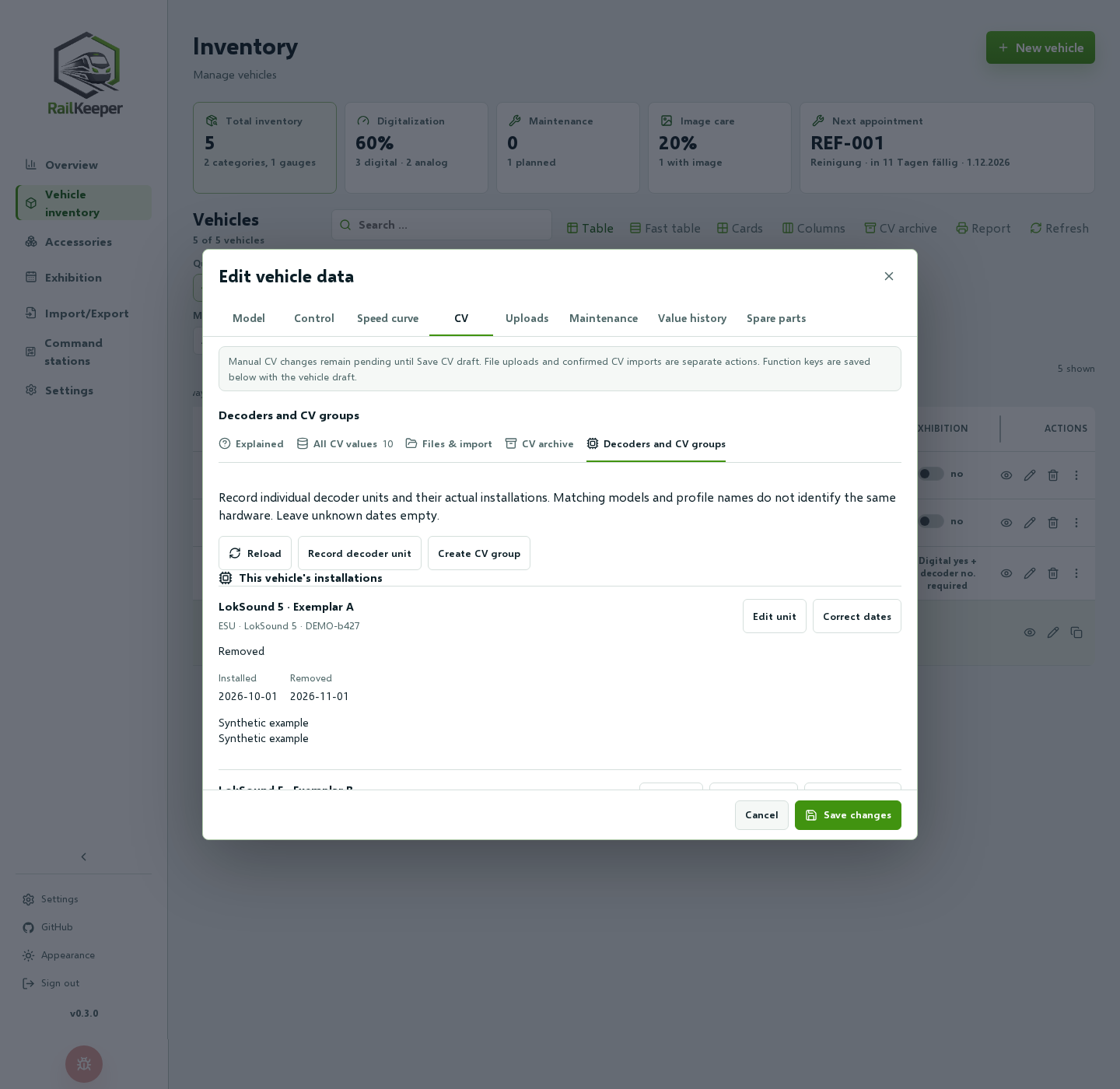
Record a unit and its installation
- Choose Record decoder unit and enter a designation that identifies this unit. Manufacturer, model, serial number and notes are optional. Confirm Save unit now.
- Open All recorded decoder units, find that unit and choose Record installation. A unit with an active installation is unavailable for another installation.
- Enter the known installation date in YYYY-MM-DD format, or leave it empty for unknown. Confirm Save installation now for this vehicle.
Matching models, labels or CV profiles do not identify the same physical unit. A vehicle can have multiple installed decoders. The unit identifier distinguishes records even when their descriptions match.
Edit unit corrects the description of that unit across its installations. Already recorded CV states retain their historical description.
Removal and corrected dates
Choose Record removal on the installation, supply a known removal date or leave it unknown, and confirm. An additional note is appended to the installation's existing notes. CV groups, sources and recorded states remain available.
Correct dates changes known dates, including explicitly clearing an incorrect date to unknown. It preserves the installed, removed or unresolved state. Invalid dates and a removal before installation cannot be confirmed. The recording time does not stand in for an unknown physical installation or removal date.
CV groups and recorded states
Existing CV profiles remain CV groups with their exact labels, values and histories. Create CV group adds an empty group without renaming or merging existing data and without assigning hardware automatically.
Choose Review assignment on a group, select an active installation in this vehicle or explicitly choose no assignment, then confirm. Before changing the assignment, RailKeeper records the saved partial working state and its previous hardware description. The CV values themselves remain in the CV group.
Record partial state deliberately captures the currently saved CV values, their actual histories, sources and current hardware description. Add a note to identify the checkpoint. Open CV drafts are excluded. Read the result in the CV archive; its recording time does not establish a complete readout.
Confirm the target for new CV input
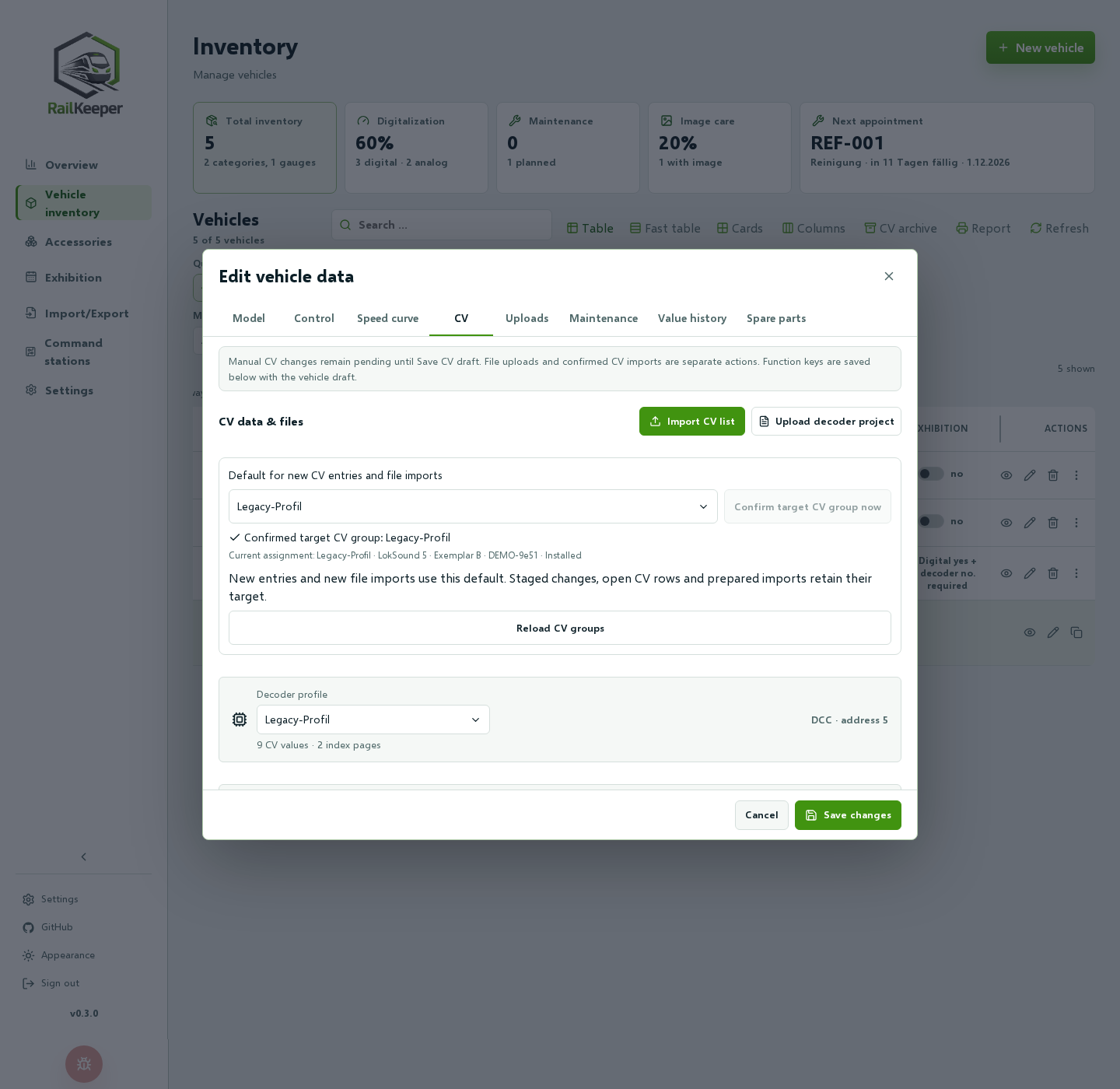
In the working view, select a Default for new CV entries and file imports. Review the displayed group and decoder assignment, then choose Confirm target group now. Selecting an option alone does not change the target. Use each entry's profile preserves the separate input profiles. Significant whitespace in legacy profile labels is shown in quotation marks.
Staged changes, already open CV rows and prepared file adoptions retain their original target when you later change this default. The import preview shows different source profiles alongside the confirmed target. Storing an original file and adopting its CV values remain separate confirmations.
If an involved decoder assignment changes, the action is retained and blocked. Reload CV groups and reconfirm the default if needed, then compare the affected CV change or import again. Review the current assignment before confirming adoption. For files, Compare file target again provides the same recovery. Files and descriptions are retained; comparison does not start an upload.
Confirmation and recovery
Each form states what its own confirmation saves. Switching vehicle tabs preserves the open decoder form and other drafts. Canceling the vehicle discards unconfirmed forms; previously confirmed decoder actions remain saved.
If another writer changed the stored context, or the save response is unclear, your input is preserved and confirmation is blocked. Choose Load and review current state, compare the displayed records, then confirm again if needed. An already recorded new unit, installation, group or checkpoint is recognized by its original identifier and is not created again.
The comparison adopts saved corrections to fields you did not change. If the same detail changed on both sides, choose Use saved value or Keep my input for that detail before confirming. Unresolved field conflicts continue to block saving.
Use a complete compatible backup to preserve the installation, associations and archive together. Snapshot JSON is a readable data download; retained original files have separate download links.