
Review search suggestions and extract spare parts
Goal: Deliberately select suggested fields and try a local spare-parts list. Applying information requires Admin or Editor and a saved test vehicle. Search replies below are browser simulations; TXT extraction uses the actual local importer.
1. Start with suitable search criteria
Save other vehicle changes first. Article search needs suitable criteria such as manufacturer, gauge and article number. Check that article web search is enabled under Settings > General and choose relevant source classes.
Open the vehicle and select Search article data. For real results, inspect the original source, exact article number, gauge and variant. Ranking and confidence do not replace this check.
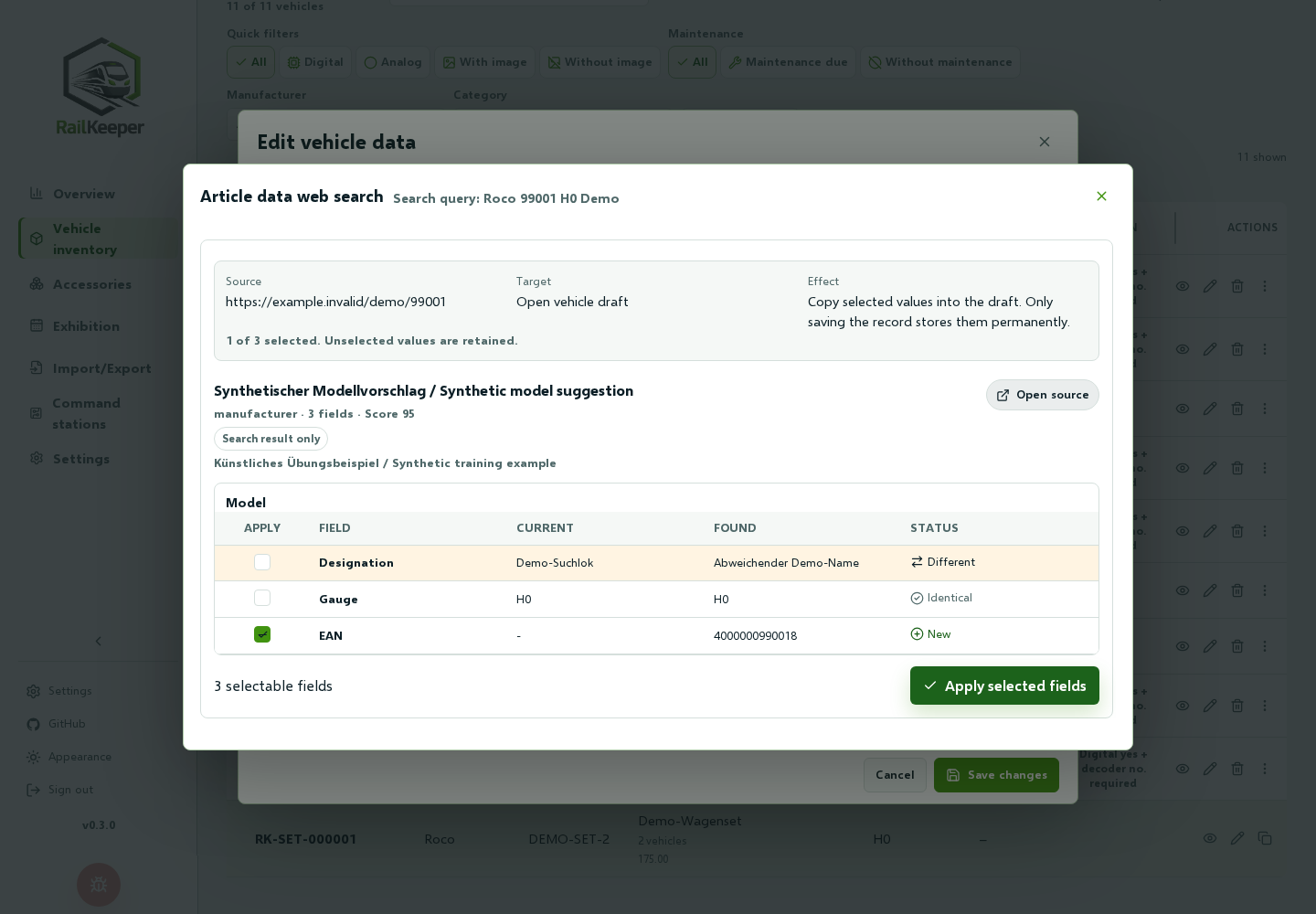
A differing existing name is a conflict and initially unselected. Select only fields you intend to replace or fill. Apply selected fields changes the vehicle draft. Save changes persists those vehicle details. Cancel discards the unsaved draft.
2. Use a barcode as a search aid
Select Search barcode. Type a code, use a keyboard scanner or transfer it from a scanner app. Camera input needs browser support, a secure context, normally HTTPS or localhost, and your permission.
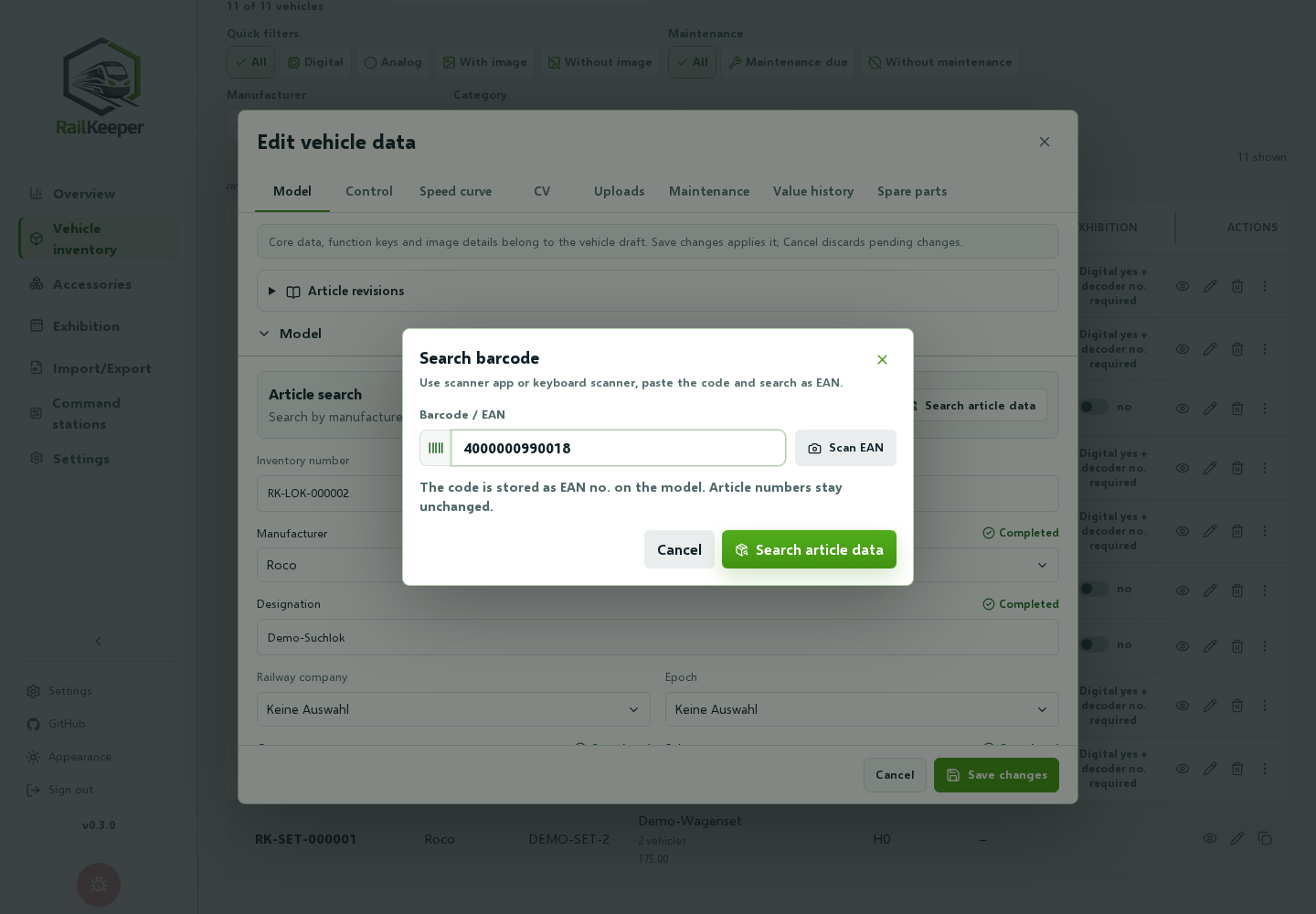
Check the code before searching. It is used as EAN; article number remains separate. Check the exact model variant even when an EAN matches.
3. No results or unsuitable sources
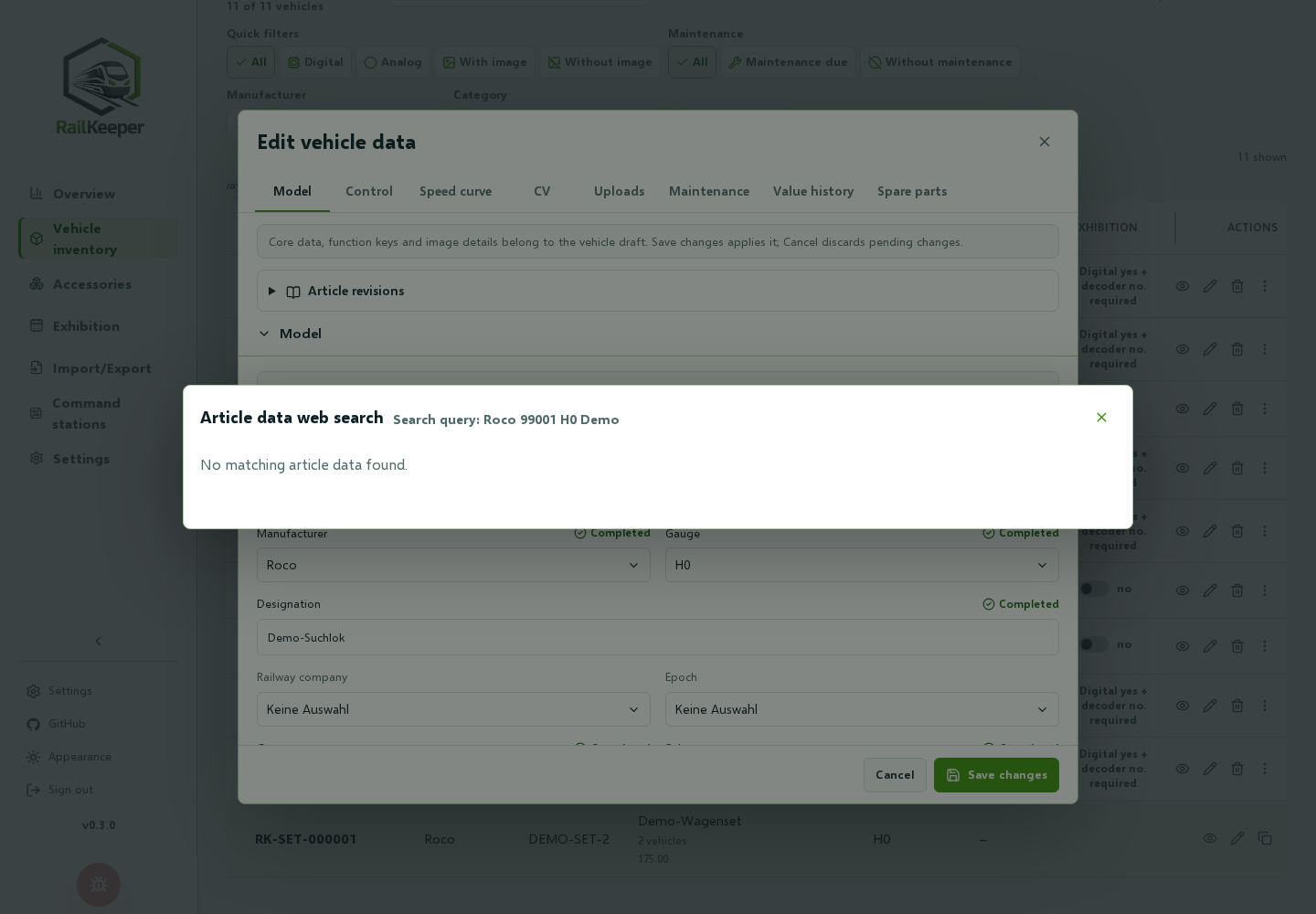
Check spelling, article number and source selection. Remove unsuitable extra terms. For errors, retain the specific message. Do not replace reliable information with a merely similar product.
4. Keep a web document locally
Use the vehicle's Web documents tools under Uploads. Review source, title, article match and category before importing. A saved link alone is not a locally available attachment. After import, open the saved file and inspect its content. The detailed guide covers selection, import, errors and separate save timing. This picture sequence contains no actual web download.
5. Try local spare-parts extraction
Download the synthetic local spare-parts list- Create a test vehicle with article number 99001, an exercise number, not a product recommendation.
- Open Uploads and upload the TXT as an attachment. Choose Ersatzteilliste as its category.
- Check filename and contents. The list explicitly belongs to model article 99001.
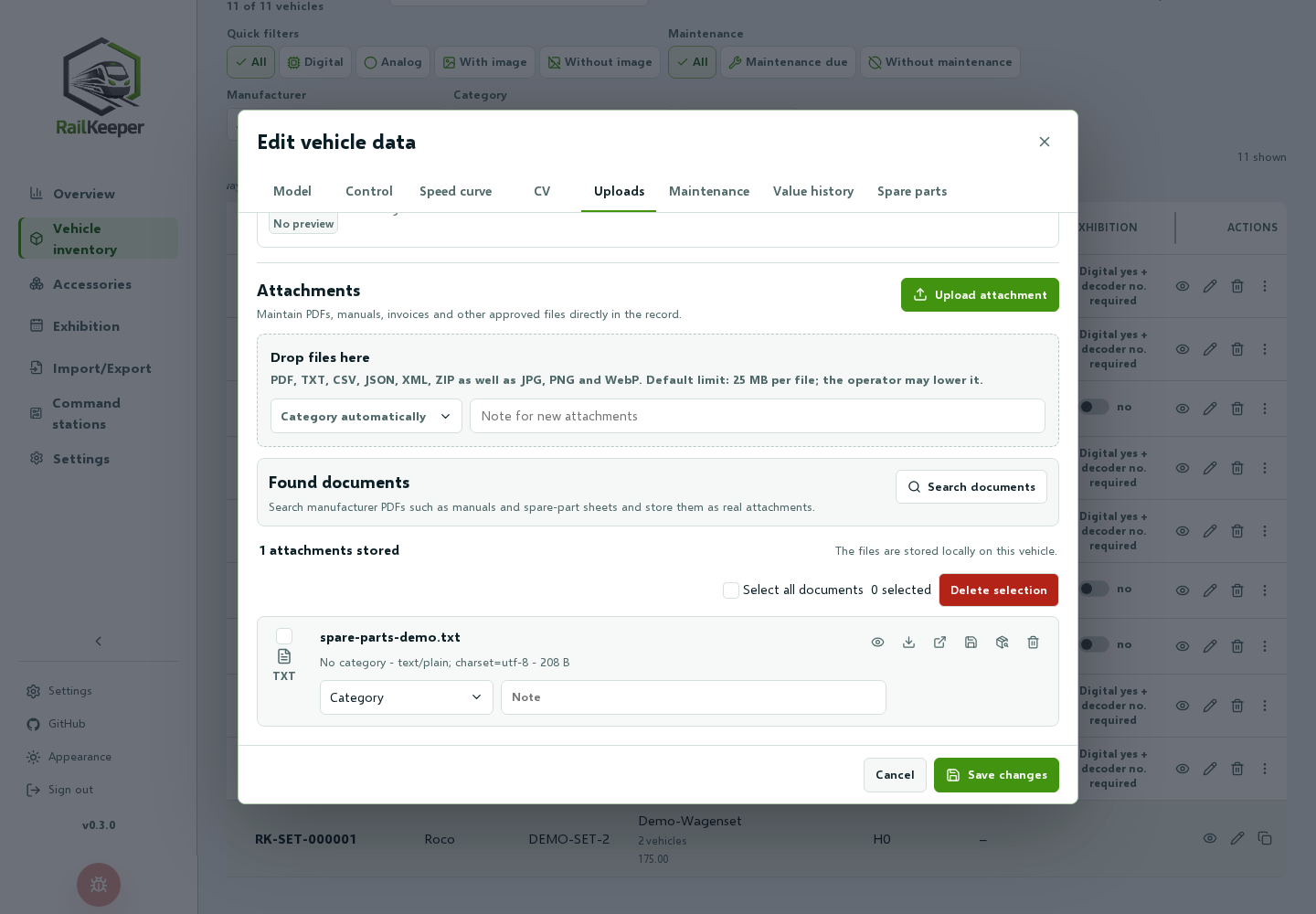
- Save or discard other vehicle drafts first.
- Select Extract spare parts on this file.
This action saves immediately
The action saves attachment details, creates newly recognized spare parts and reloads the vehicle. It does not wait for Save changes. After a partial failure, inspect already saved parts before retrying.
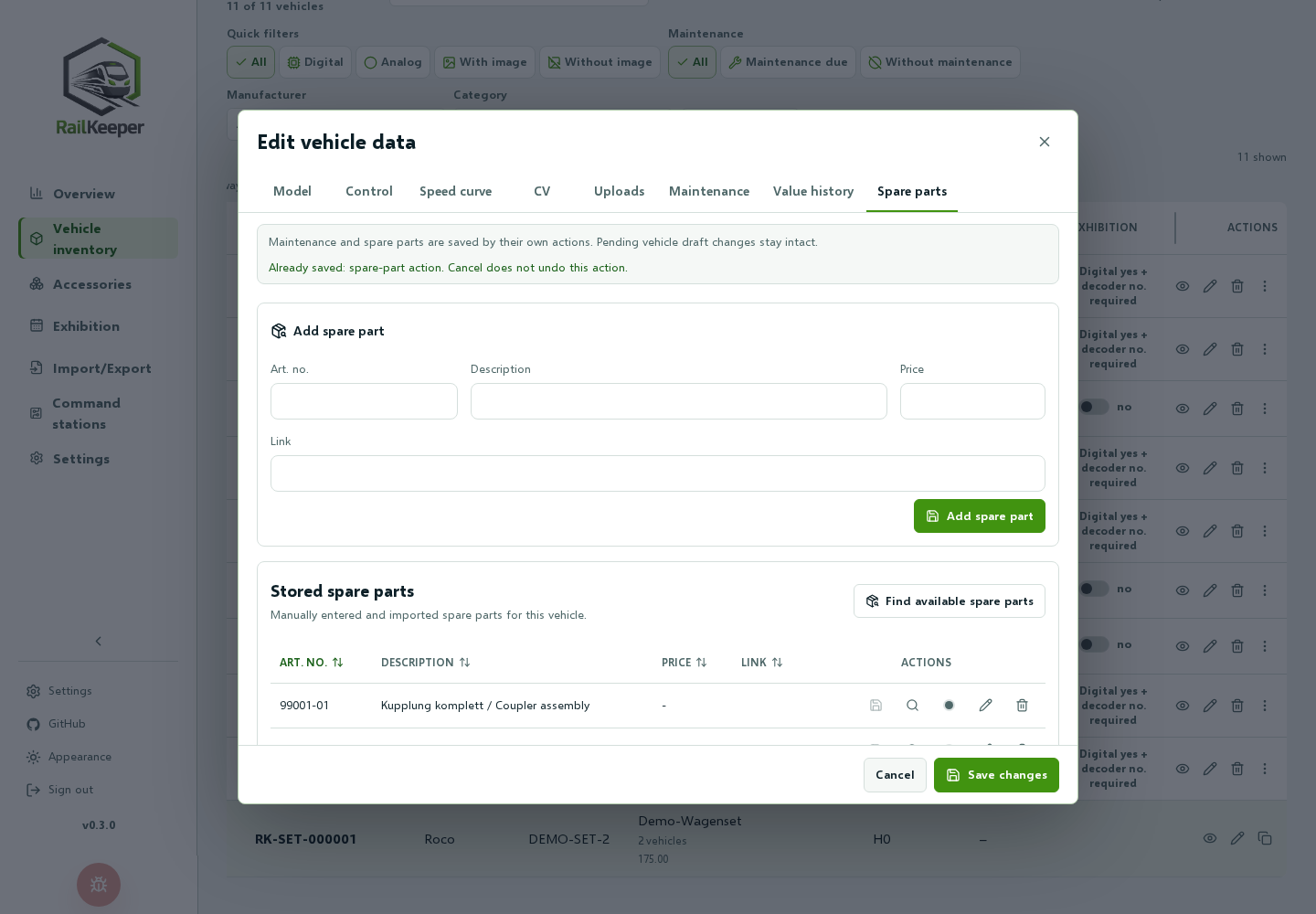
Expected: 99001-01 for the coupler and 99001-02 for the wheelset, without prices. Review and correct descriptions where necessary. This exercise does not establish OCR quality for scanned PDFs. Without a matching article number or readable text, there may be no useful suggestion. Use manual spare-part entry when necessary.