
Try file imports with example data
Goal: Import two vehicles, map a column yourself and resolve an inventory-number conflict. You need Admin or Editor. Use a test inventory: confirmation creates real records in whichever installation you use.
All data is synthetic. These files contain no pictures, CVs or decoder projects. Use the separate CV example for decoder settings.
Download the files
| File | Purpose |
|---|---|
| Vehicle CSV | Two new vehicles; map the extra myNote column manually. |
| CSV with one conflict | After the first import: one existing inventory number and a new coach. |
| RailKeeper vehicle JSON | Two additional vehicles in the versioned exchange format. |
Keep the original file extensions. The CSV is UTF-8 with semicolon separators. The JSON file is a version 3 RailKeeper transfer package, not an application backup.
1. Create a CSV profile and preview
- Open Import/Export > Create profile.
- Name it Demo CSV, select Import, Vehicles and CSV, then create the profile.
- Select New import, choose Demo CSV and open
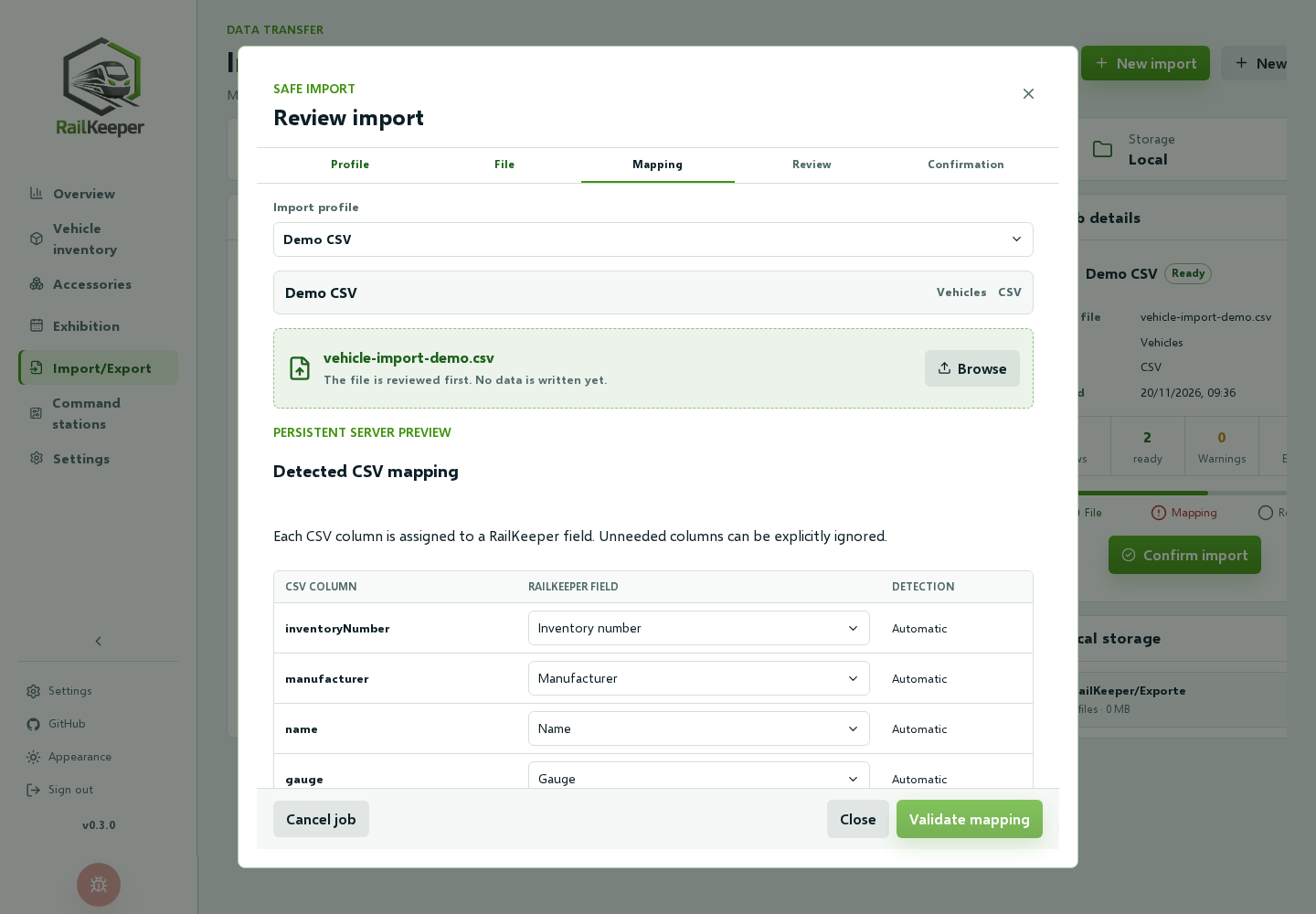
vehicle-import-demo.csv. - Wait for Detected CSV mapping. No vehicles have been imported yet.
2. Map a column yourself
Choose Description for myNote. Enable Save mapping to profile if you want to reuse it for the second file. Select Validate mapping. Every column needs a target or an explicit ignore decision.
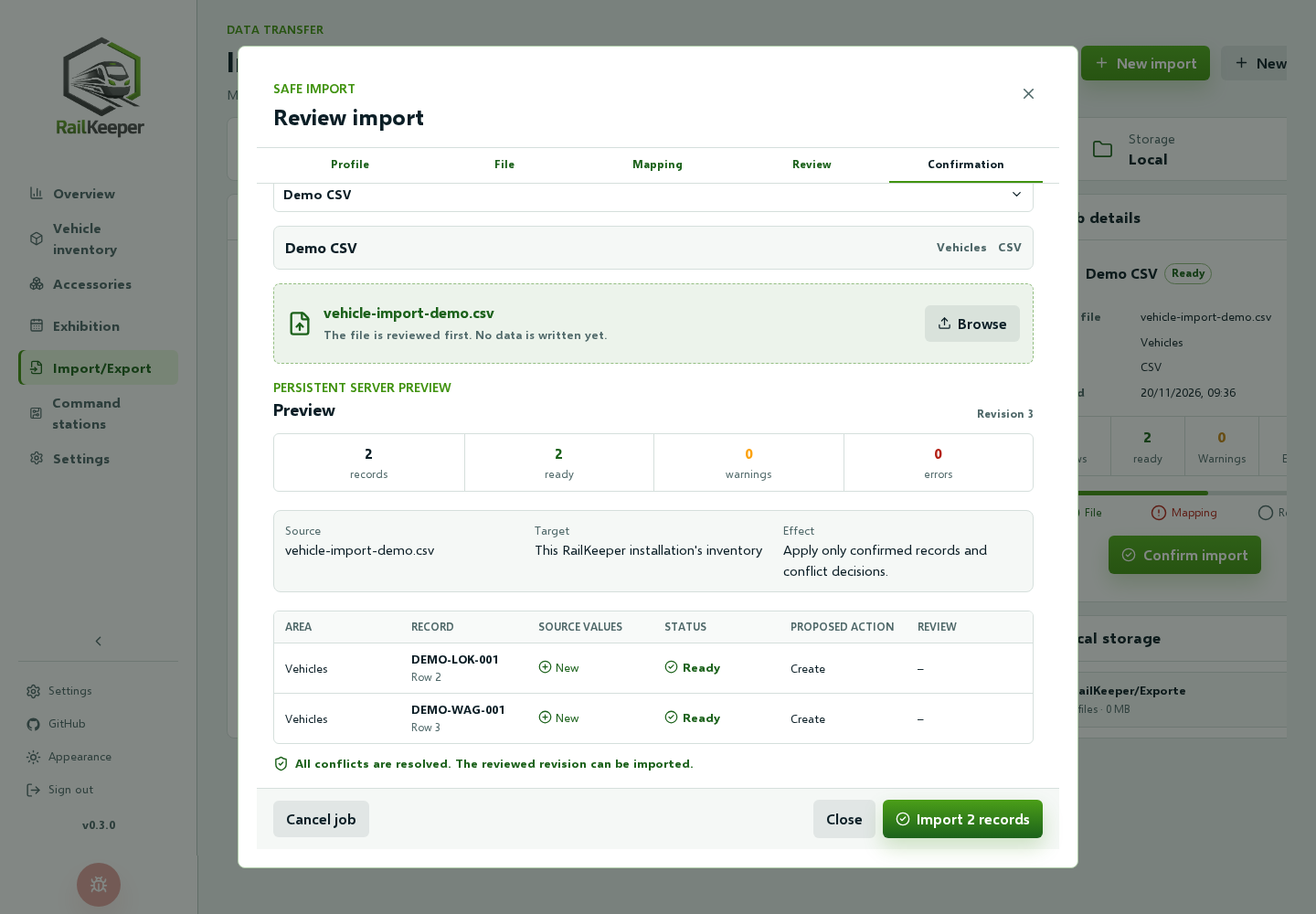
Review these two new inventory numbers:
| Inventory number | Name |
|---|---|
DEMO-LOK-001 | Demo-Lok 01 |
DEMO-WAG-001 | Demo-Wagen 01 |
3. Confirm and check the result
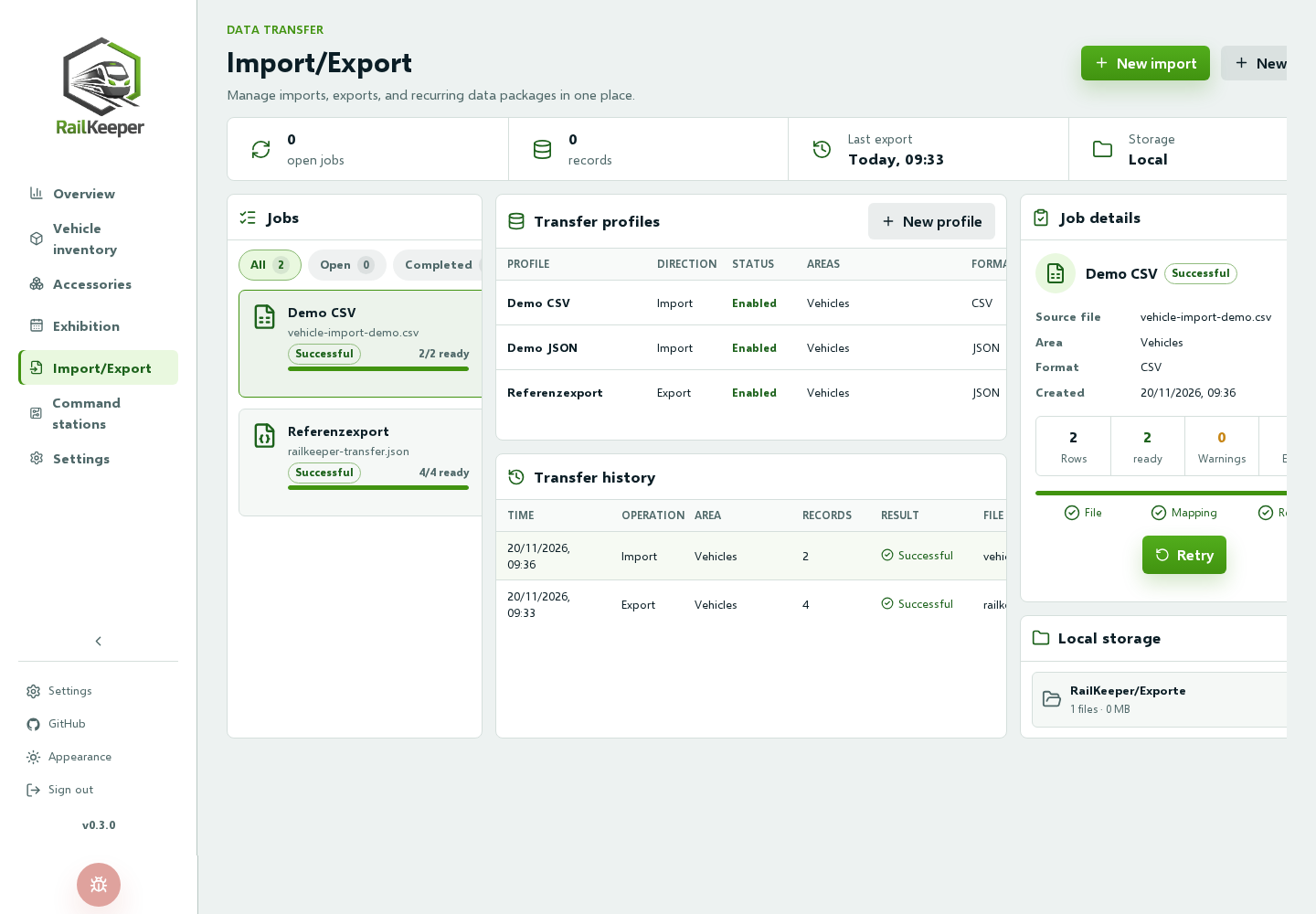
Select Import 2 records. The dialog closes after successful confirmation. Open the completed job, then check both vehicles in inventory. Their description reads Nur Übungsdaten / Synthetic example, as assigned from the source column.
4. Deliberately skip a conflict
- Start another Demo CSV import using
vehicle-import-conflict.csv. - Review column mapping again. If you did not save it to the profile, map
myNoteto Description again. Continue to review. DEMO-LOK-001has a conflict because that inventory number already exists. The file now names it Demo-Lok 01 Update.- For this row, choose Do not import this record.
- Check the new coach
DEMO-WAG-002and select Import 1 record.
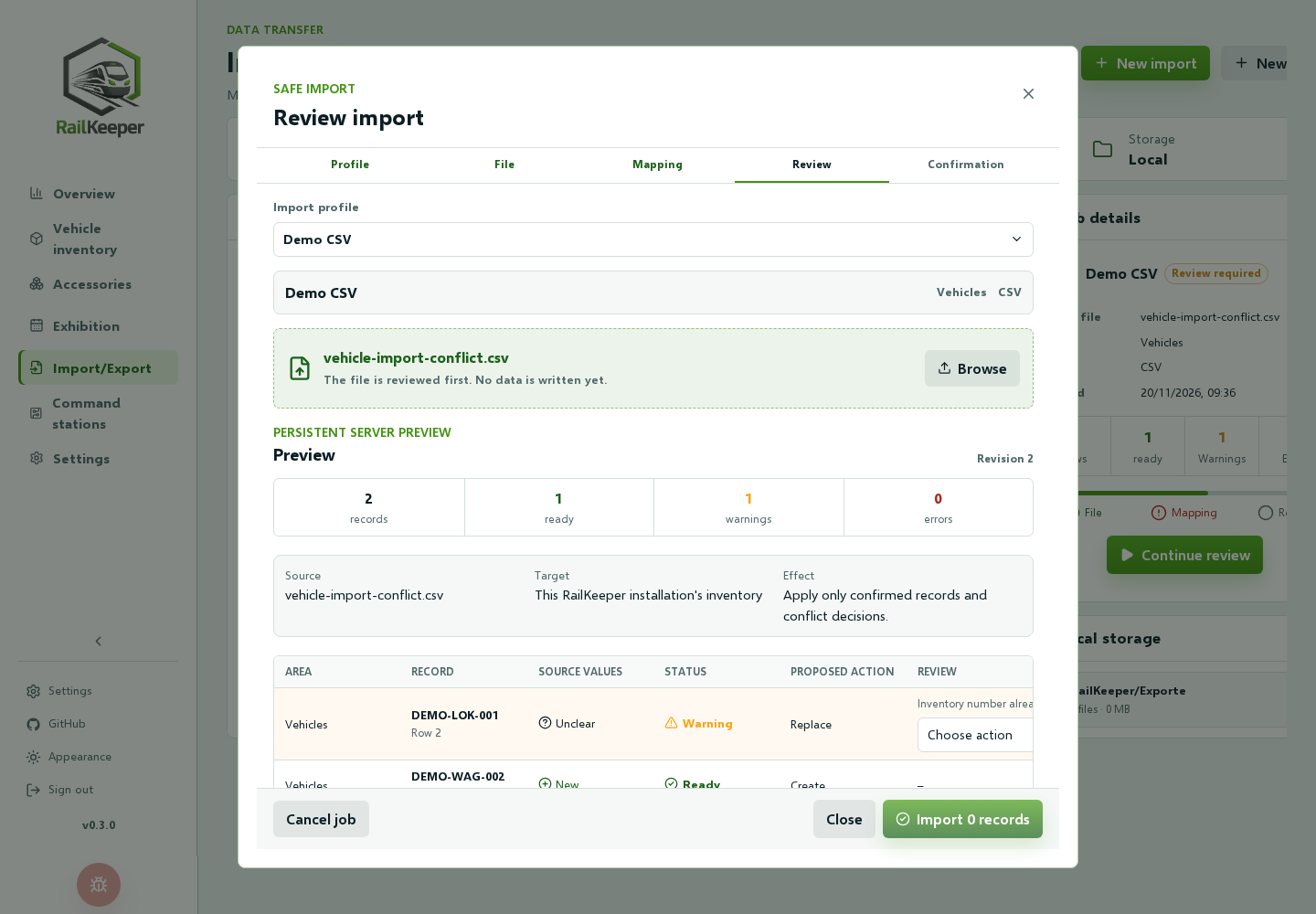
Expected result: The inventory contains three CSV demo vehicles. The original locomotive still has the name Demo-Lok 01. No additional locomotive shares its inventory number. Replacing or importing a copy are different choices with different results.
5. Try the JSON package
Create another import profile, Demo JSON, with Vehicles and JSON. Under New import, choose that profile and vehicle-import-demo.json. No CSV mapping is required. Review the two records and confirm their import.
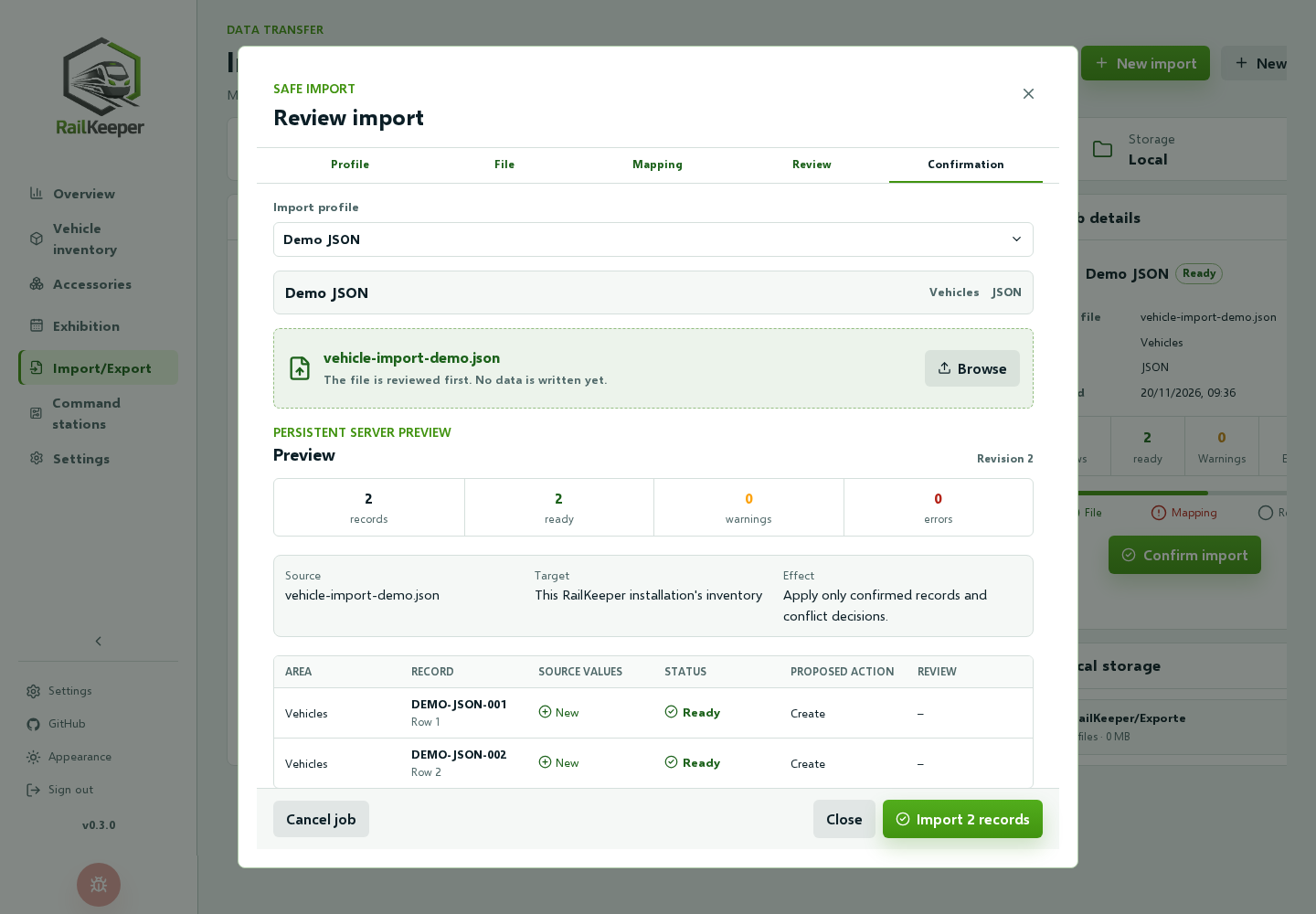
The inventory now also contains DEMO-JSON-001 and DEMO-JSON-002. Running all steps once in an initially empty demo inventory creates five demo vehicles. Repeating the exercise with existing demo inventory numbers produces conflicts again.