
Recorded CV states
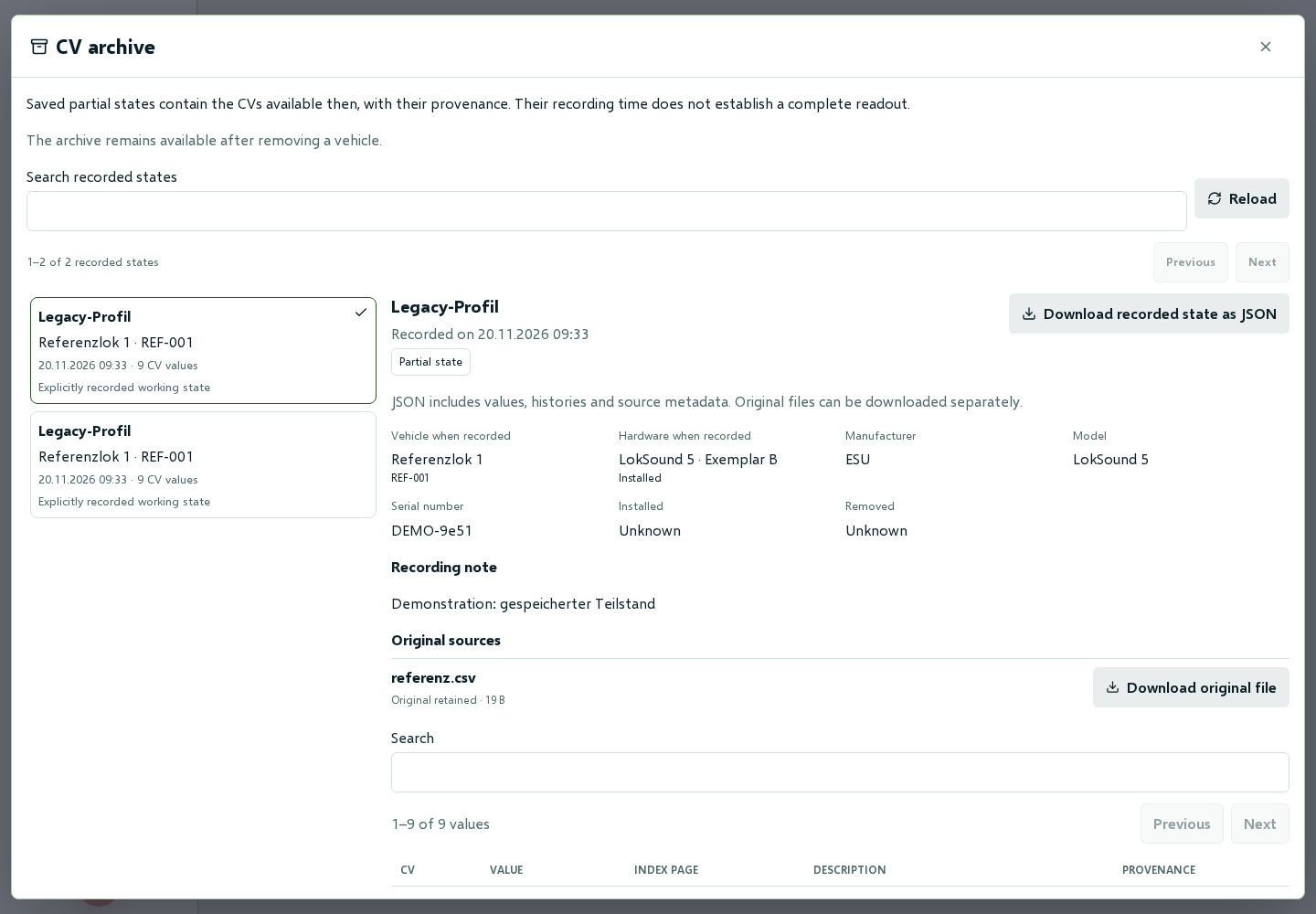
Open CV archive in the inventory toolbar or in a saved vehicle's CV tab. The inventory archive also includes historical vehicle references after removing a vehicle. Viewer, Editor and Admin can read it. Messe has no access to these inventory records.
| State | Meaning |
|---|---|
| Saved working values | The current saved CVs, which can change through confirmed edits and imports. |
| Open CV draft | Uncommitted edits retained in the vehicle dialog. |
| Recorded partial state | The values, real histories and source references available when this state was recorded. |
Search by vehicle, old inventory number, working label or note, then select a recorded state. The details show the vehicle and optional physical-decoder description as recorded then. Later model corrections, removal or vehicle changes do not rewrite those descriptions. Unknown installation and removal dates remain unknown.
Each state is a partial working state. Its recording time is not proof of a complete readout or a single source export. Individual source timestamps keep their meaning and do not acquire an invented timezone. Missing index information stays distinct from page 0/0. Historical unknown integer values remain visible. Expand recorded changes to read the saved CV history.
Original retained provides the original file as a private download. Original unavailable retains the source metadata without offering another file as a substitute. The JSON download contains values, histories, hardware descriptions and source metadata. Download original files separately when needed. Use backup and restore for a complete application backup including retained originals.
Reading, searching and downloading archive records preserve your open vehicle and CV drafts. An empty archive means that no recorded CV state is present in the current collection.