
Apply F0, F1 and F3 together
Goal: Fill functions from CVs, save them together and protect manual details. Use a saved test vehicle without functions or CVs, as Admin or Editor. This exercise writes only to RailKeeper.
Download synthetic F0/F1/F3 CV dataThe file contains 144 readings, an ESU profile with firmware 5.14.183 and index pages 1/1, 16/3 and 16/8. These are not factory defaults or programming recommendations. The project's mode/inversion rule was checked using separate F0, F1 and F3 comparisons with LokProgrammer 5.2.18. This does not establish behavior for other decoders.
1. Import the CV file
- Open Edit > CV and import the unchanged TXT.
- Check 144 new readings and
LokPilot 5 micro DCCin the preview. - Apply readings. Check profile and provenance using the identification guide.
- Open Control, leaving Configured only enabled.
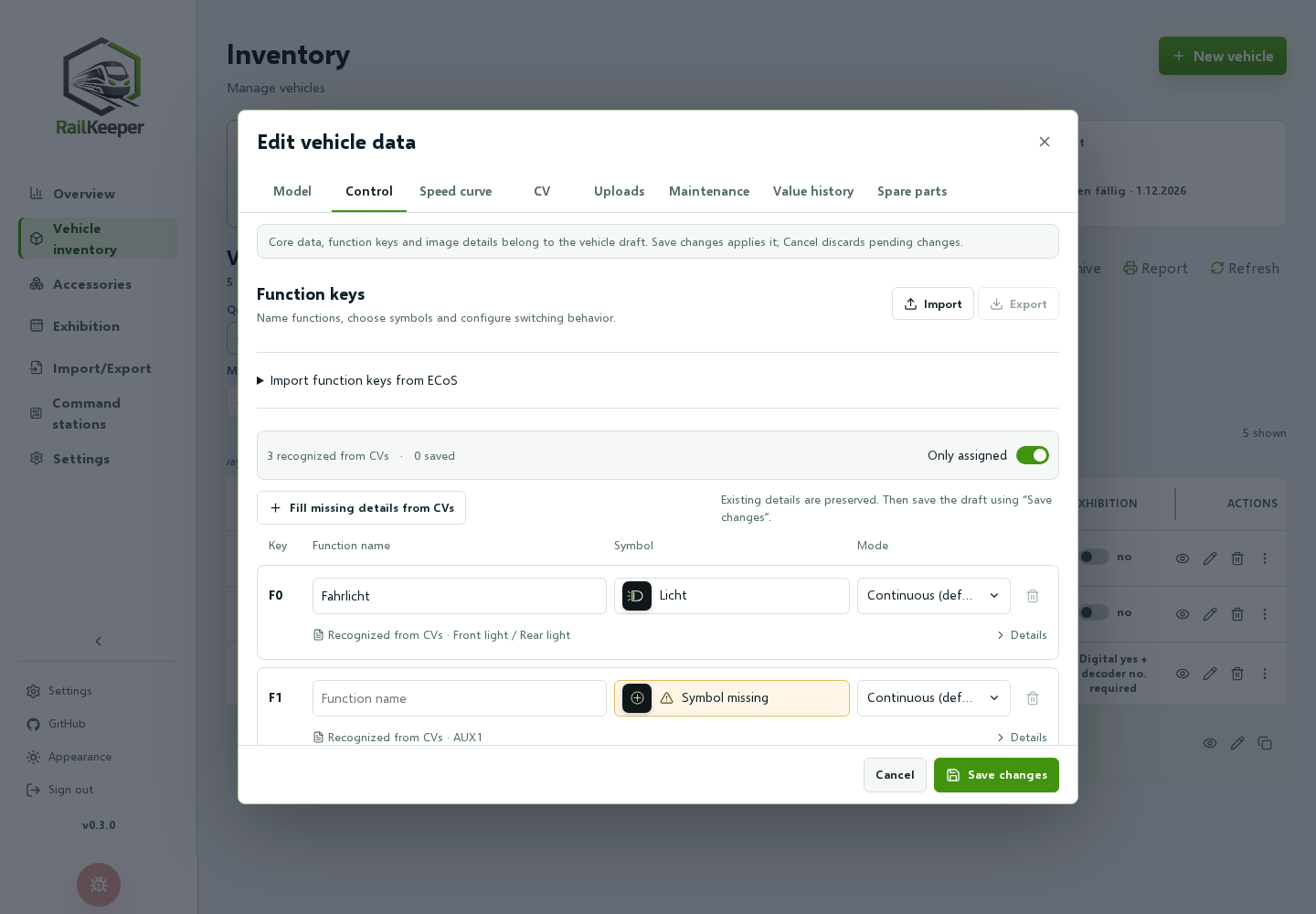
2. Fill missing details together
Select Fill missing details from CVs, then review:
| Key | Expected meaning | Mode | Inverted |
|---|---|---|---|
| F0 | Front/rear lights, with supported name and light symbol | Continuous | No |
| F1 | AUX1; you must identify its actual consumer | Continuous | No |
| F3 | Shunting mode, with a matching symbol | Continuous | No |
AUX1 does not reveal whether the locomotive has interior lighting connected there. Enter your own name where appropriate. A subtle text-labelled marker identifies missing symbols; click it to open symbol selection directly.
Continuous (default) is only a new row's starting value. Adopted information has provenance. Direction dependency is independent and remains unknown when it cannot be reliably adopted for the function record.
3. Check provenance and save
For F1, open Details > Provenance and CV values.
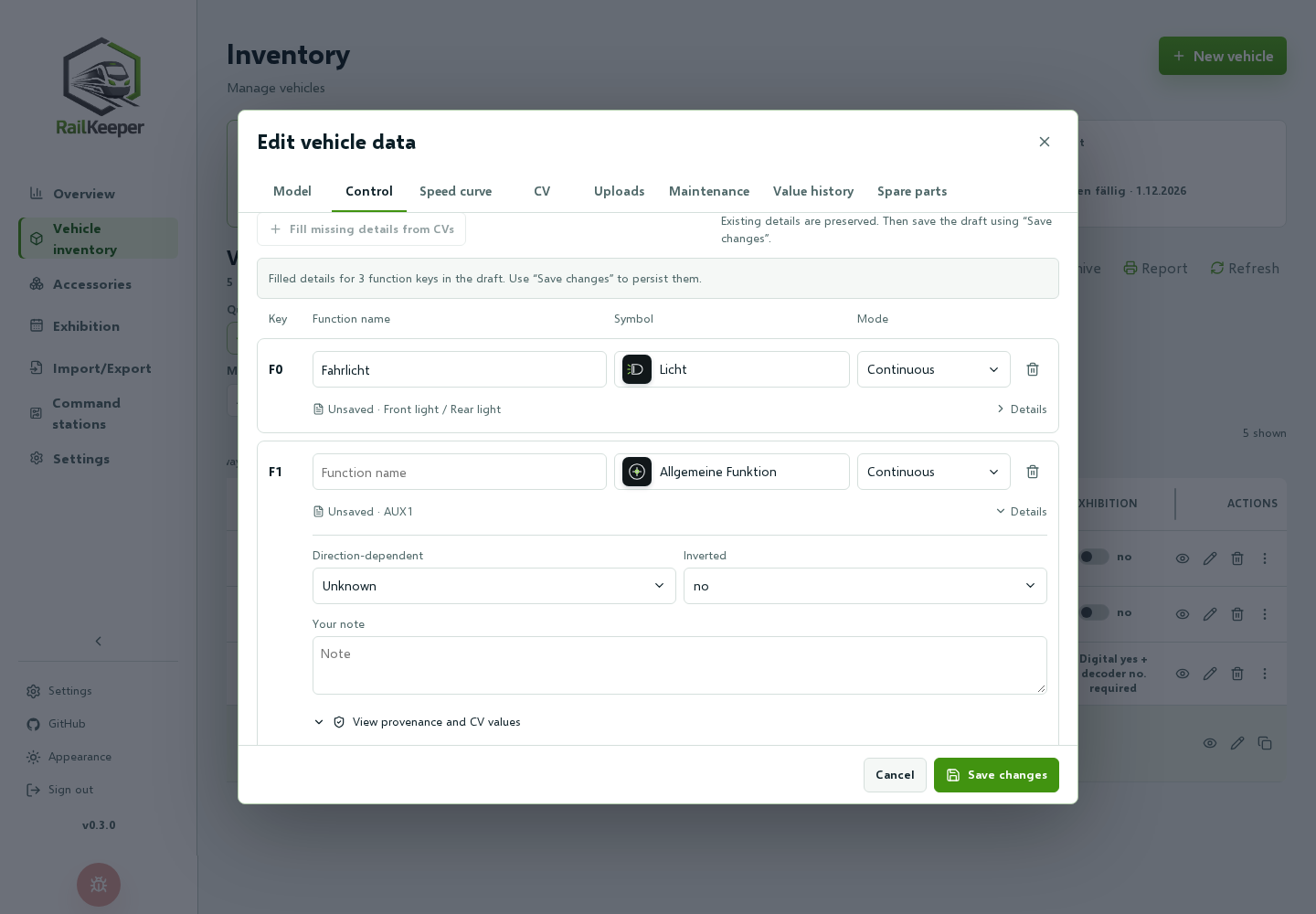
Expect CV31=1 / CV32=1, CV259=32, CV260=2, original lines and the file's export date. F0 uses CV257/258; F3 uses CV263/264. The index page is always part of the identity.
Select Save changes, reopen the vehicle and check all three keys. Expect Continuous, Inverted: No and retained provenance. Technical CV mapping remains collapsed at the bottom.
4. Check manual protection
- Reopen F1 and its Details.
- Manually select Momentary and Inverted: Yes.
- Check the combined fill action: this exercise has no other gaps, so it is disabled. Your two selections remain in the draft.
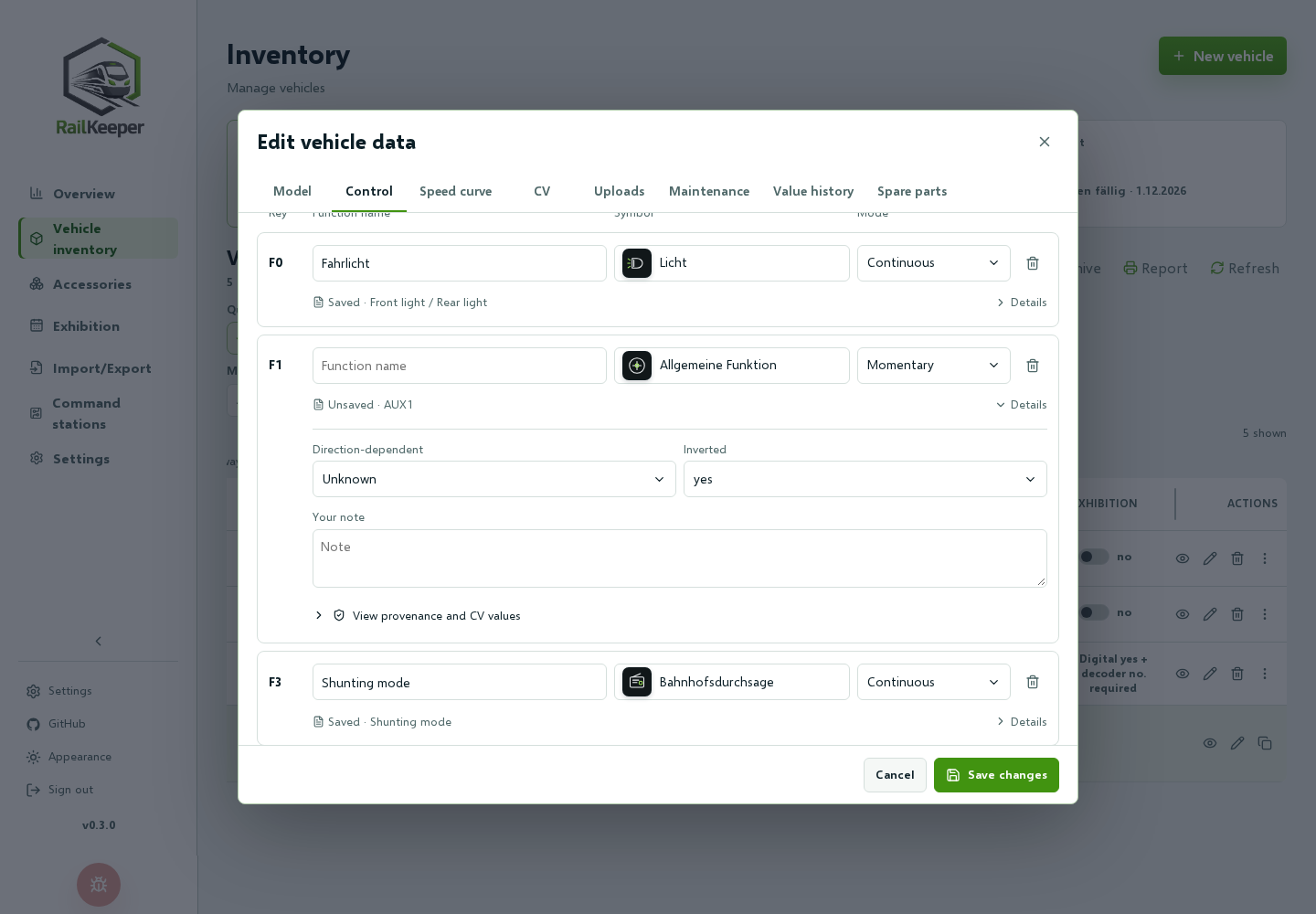
- Select Cancel and reopen the vehicle.
- F1 must return to Continuous, Inverted: No, retaining its original provenance.
For a permanent manual choice, select Save changes instead. Saved modes are protected; Unknown inversion can be filled. If other keys still have gaps, the combined action may remain available for those keys.
Exchange functions as a file
Download manual function examples as JSONOptionally on a second test vehicle, import this JSON using Control > Import. It deliberately sets F0/F1/F3 to Momentary and Inverted: Yes, with a manual exercise note. Review and save together, or discard with Cancel. This is a function file, not a CV list or backup. It contains no invented CV provenance.