
Try CV import with index pages
Goal: Import twelve synthetic CV values and check that the same CV number on different index pages remains separate. You need a saved test vehicle and Admin or Editor. This workflow sends no values to a decoder.
Download the CV example TXTThe file uses LokProgrammer TXT syntax but is synthetic. Its values are neither factory settings nor recommendations for programming a locomotive. Start with a vehicle without stored CVs for a clear result.
1. Select the list and check its preview
- Open the test vehicle under Edit > CV.
- Select Import CV list and the unchanged
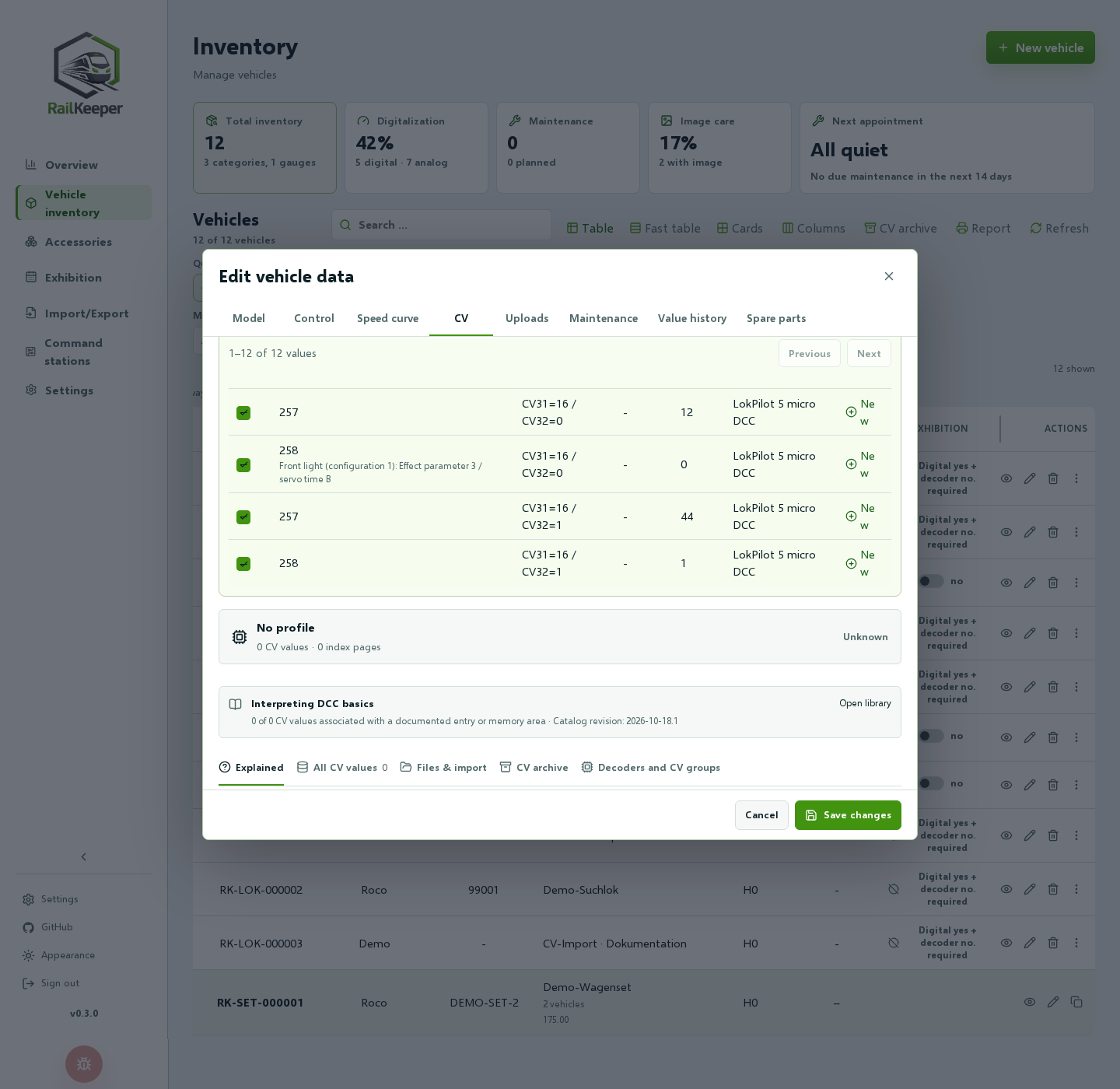
cv-index-demo.txtfile. - Check the preview: 12 new values, no invalid or duplicate entries.
- The header supplies the LokPilot 5 micro DCC profile. The firmware and CV8 in this exercise are also predefined example data.
You do not need an ESUX file for this exercise. Upload decoder project is a separate action for storing a project; it does not replace the value list.
2. Apply and check index pages
Select Apply selected fields in the CV preview. This saves the selected CVs to the vehicle. Open All CV values, leaving All index pages selected.
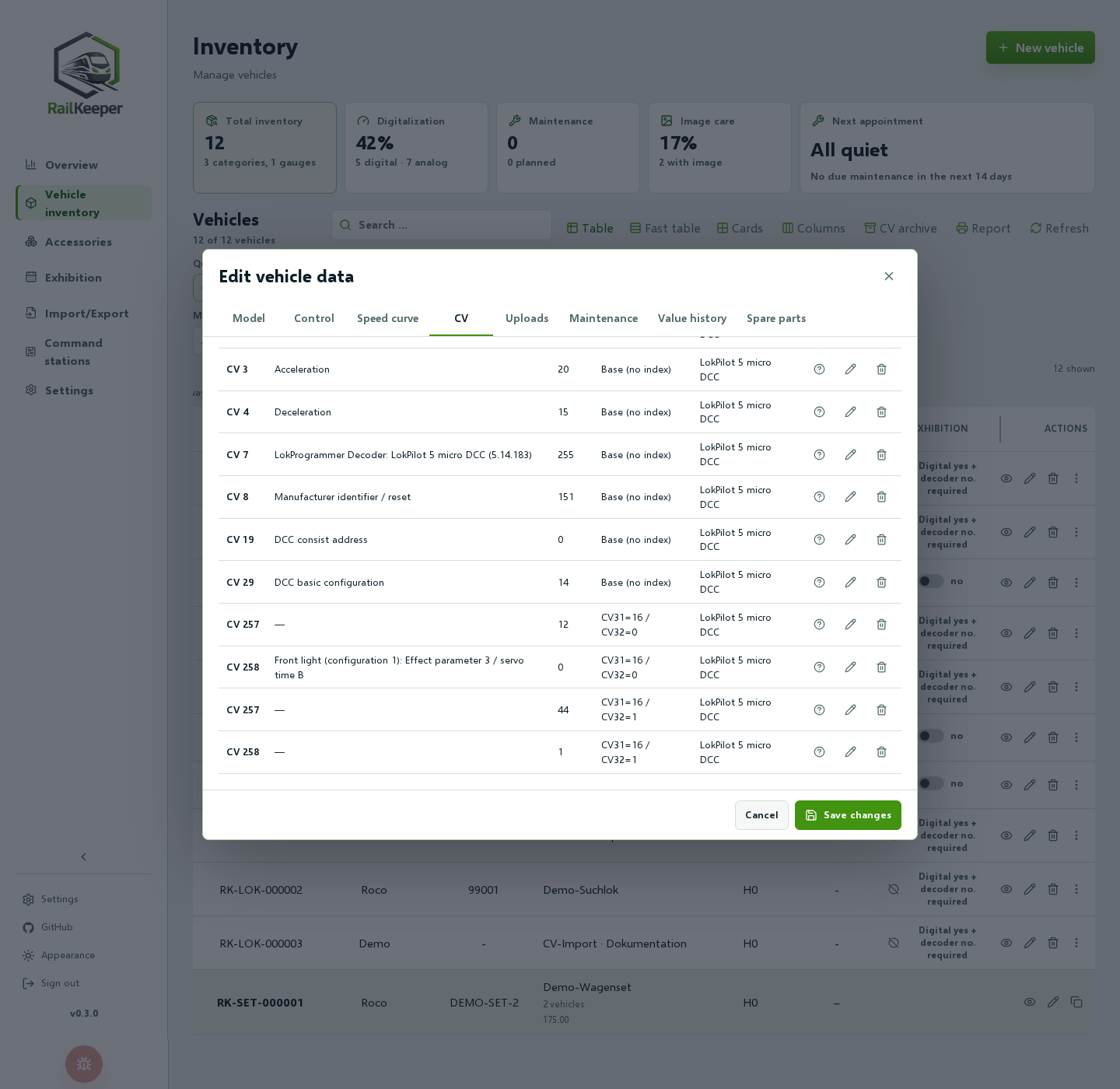
| Check | Expected result |
|---|---|
| Stored values | 12 |
| Base CVs | 8 values without an index page |
Index page 16/0 | CV257 = 12, CV258 = 0 |
Index page 16/1 | CV257 = 44, CV258 = 1 |
| Export date | 23 October 2026, 12:00:00, without an invented time zone |
16/0 means CV31=16, CV32=0, producing TXT index 4096. 16/1 produces TXT index 4097. A CV number alone is therefore not a complete identity.
3. Inspect provenance
For CV257 on page 16/0, select Explain CV 257. Check its value, page and source. In the unchanged file, this value is on original line 14. CV257 on page 16/1 comes from original line 17.
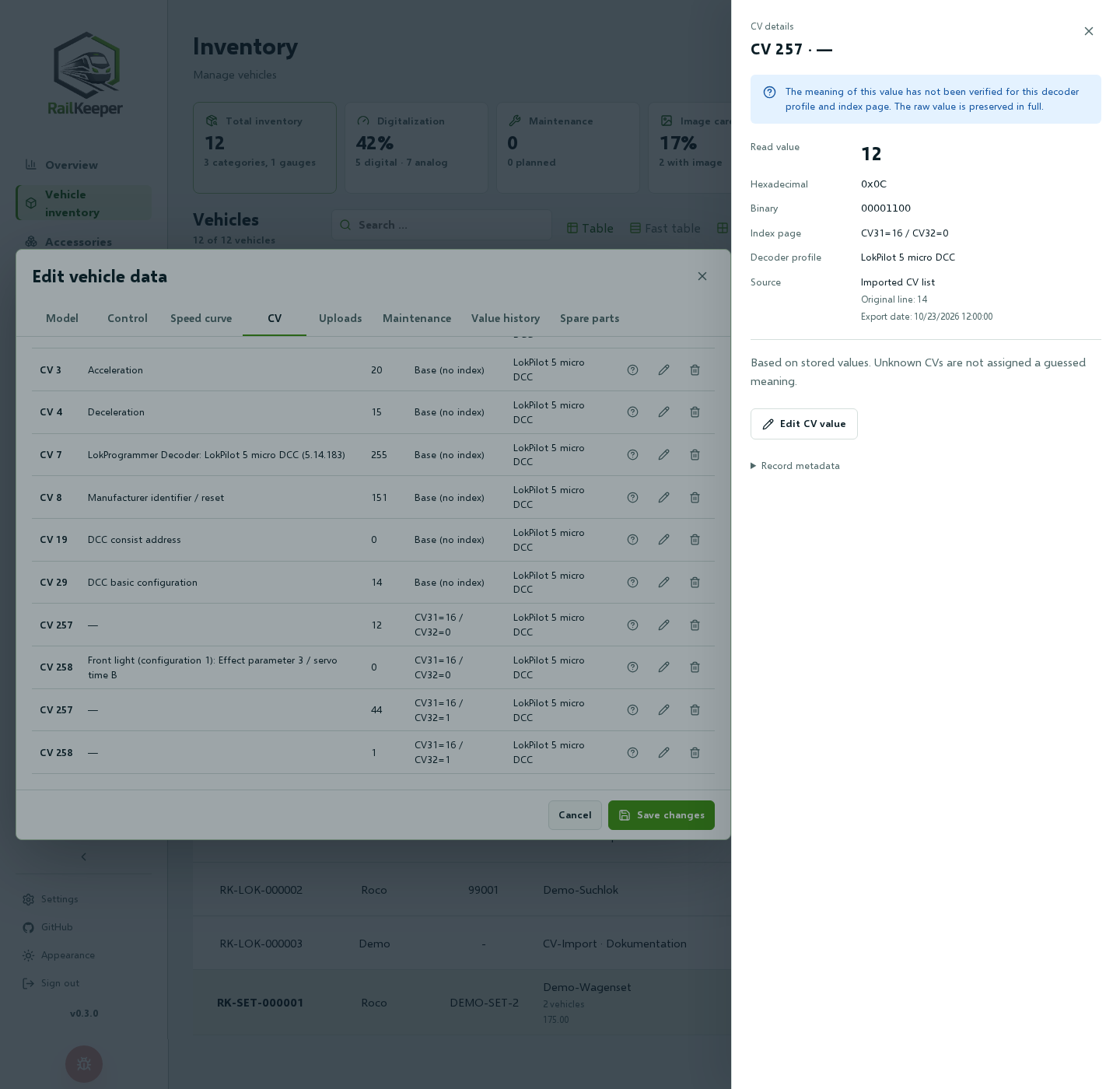
A missing explanation does not mean the raw value is absent. Library rules need matching model, firmware and index context. A TXT profile name does not establish a decoder serial number.
4. Review the same file again
Import the unchanged file again. Expect 12 already identical values, not automatically selected for changes. Select Discard. There are still twelve stored values. You do not need to delete existing CVs to try the example.
After a manual change, the preview may instead report a changed value. Review that comparison and deliberately select what to apply. Protection of manually maintained function keys is a separate workflow under Control.