
Identify the correct decoder
Goal: Check which explanations match your stored readings. Use a saved test vehicle and Admin or Editor for imports.
1. Choose a reliable input file
Start with the CV exercise. The subsequent function exercise provides another file covering F0, F1 and F3. Both files are synthetic and are not instructions for programming a decoder.
Open Vehicle inventory > Edit > CV > Files & import. Import the unchanged TXT. Review profile and firmware in the preview before applying readings. No ESUX file is needed; project files are stored separately.
2. Check identification and provenance
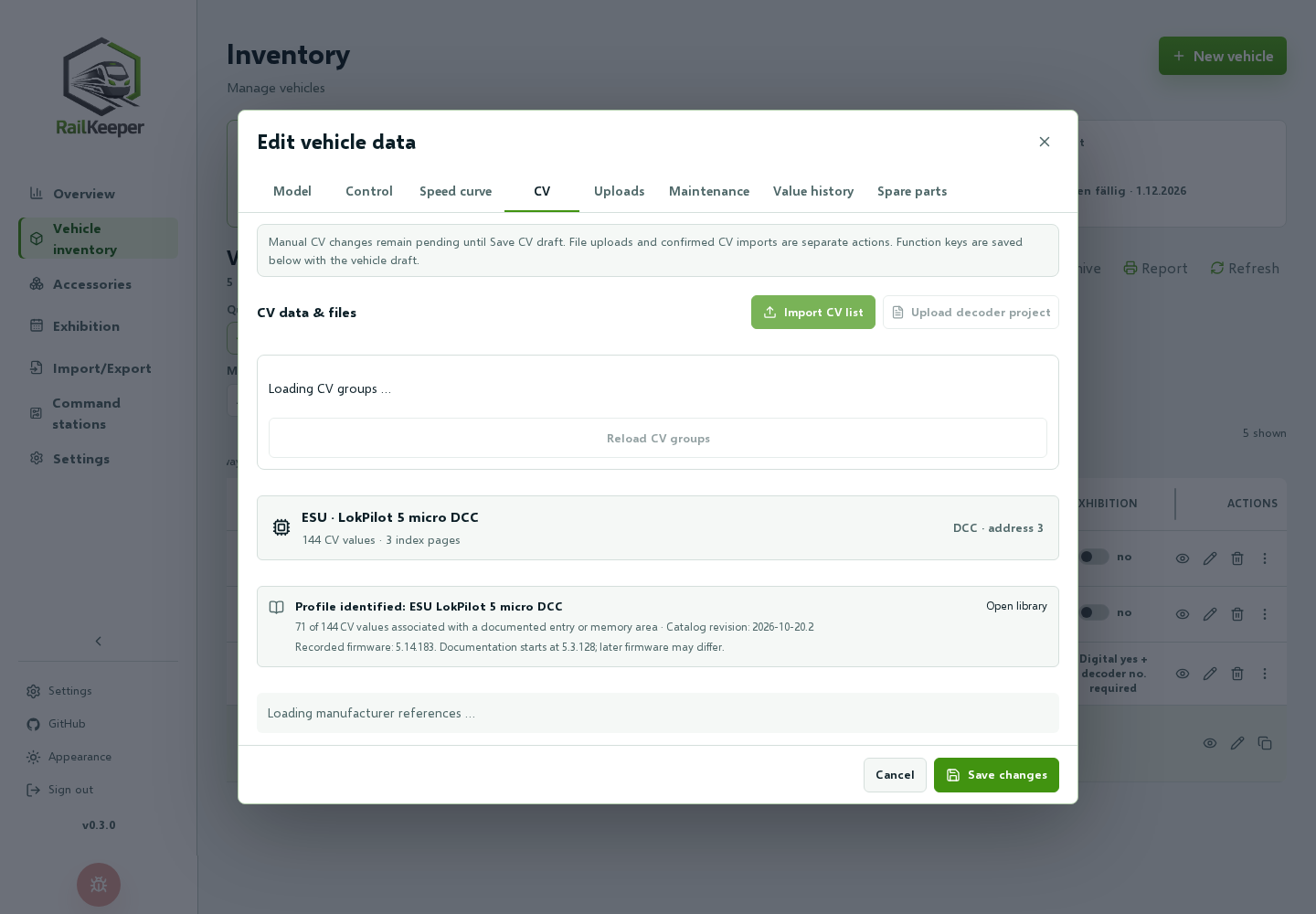
Check the selected profile under CV. If several profiles exist, choose the relevant set. Inspect CV7 and CV8 provenance through a CV source link or All CV values.
| Reading | What it establishes |
|---|---|
| CV8 = 151 | ESU manufacturer, not a particular ESU model |
LokPilot 5 micro DCC in the header | This file's profile name |
5.14.183 in the header | This file's full version statement |
| CV7 = 255 | Raw value; it does not establish a firmware version by itself |
| CV31/CV32 | Context of an indexed reading, not model identity |
File metadata describes the export. When uncertain, check the exact model against the decoder, LokProgrammer or original documentation. Renaming a profile is not identity evidence.
3. Look up an explanation
Open Settings > Data > General master data > Decoder library. Search for the model or CV. Check Review scope, Identification, CV definitions and Sources. Model, firmware and index context must match each rule.
A manufacturer reference may establish a table row without RailKeeper already calculating an address, braking state or function key from it. A connector alone does not establish model identity.
4. Handle missing or contradictory information
| Observation | Action |
|---|---|
| Manufacturer identified, model unknown | Check the exact vehicle decoder; do not guess a similar variant |
| Manufacturer and profile disagree | Check file and vehicle; do not force model-specific interpretation |
| Missing firmware | Check the original export; do not invent a version from CV7 |
| Reading present, explanation absent | Check model, firmware and index limits in the source |
| ECoS reading has no index page | Retain it as unindexed; the library cannot reconstruct a missing page |
New library explanations are applied when stored readings are displayed. Reimport is normally unnecessary. Reimport helps when the original file has additional readings or provenance that have not yet been saved.
5. Deliberately apply vehicle details
Under Model > Digital, compare stored vehicle details with interpreted readings. Use CV settings fills supported fields in the draft. Review and select Save changes. The manual DT address for double heading remains separate from the DCC consist address.
Next: Apply function keys together and protect manual details. The technical reference explains formats and edge cases.