
Manual value history
Valuations record your own estimate for a particular date. List and purchase prices remain unchanged. RailKeeper does not contact price portals or fill in missing past market values.
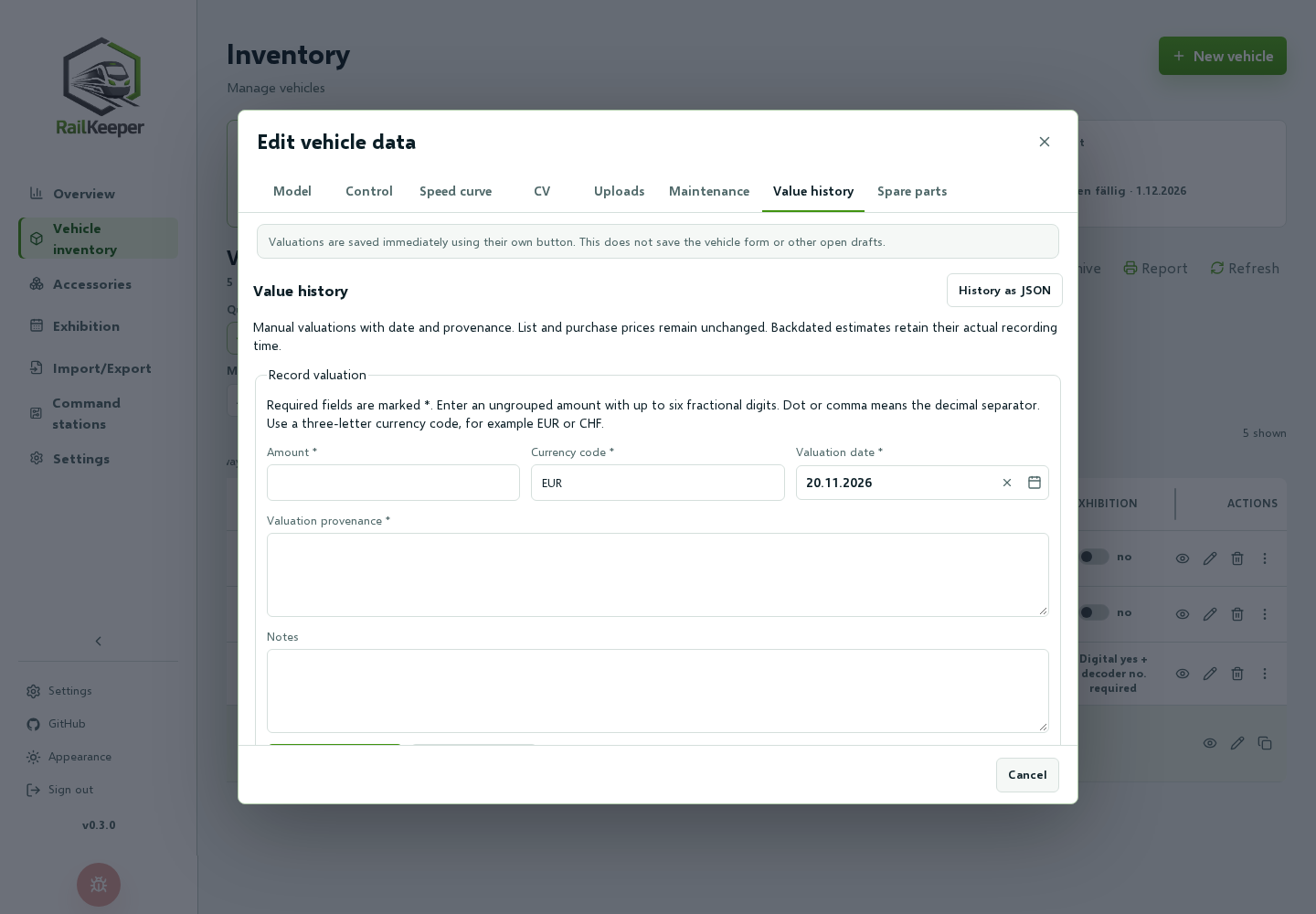
Record a valuation
- Open a saved vehicle with Edit > Value history.
- Enter amount, three-letter currency code, valuation date and provenance, for example your condition assessment or a traceable supporting document.
- Select Save valuation now. This saves only the valuation. Open vehicle, function, CV and other inputs remain unsaved.
Enter an ungrouped amount. Dot and comma both mean the decimal separator; up to six fractional digits are retained exactly. 1234.56 means 1234.56 units; 1,234 means 1.234 units. Negative numbers, exponential notation and more than six fractional digits are rejected. Currencies are never converted or mixed.
The valuation date and actual recording time are shown separately. A backdated estimate retains its real recording time. Admin and Editor can record valuations; Viewer can read and export them. Messe has no access to inventory or the collection summary.
Correct and withdraw
Correct valuation prepares an additional entry. Review its details and provenance before saving. The original entry remains and is marked as corrected. Two people cannot create independent corrections of the same entry. If it changed in the meantime, reload and compare the history; your input is retained.
Withdraw valuation requires a new reason. The entry remains in history but is excluded from calculations. An older valid estimate can then become the latest known vehicle value.
If there is no definite save acknowledgment, the input stays locked and retained. Its recovery identity and input stay in the current browser tab, scoped to the account and vehicle, across dialog dismissal and page reload. They never trigger an automatic write. If the browser cannot retain this pending operation, the valuation is not sent. Select Check saved state. RailKeeper reads the entire history and checks this input without sending it again. An existing entry receives a confirmation. If absent, you can review and explicitly save the retained input.
Summarize the collection at a date
The dashboard contains Manually valued collection. Choose a valuation cutoff date. Each vehicle contributes its latest valid estimate up to that date, using current knowledge including retrospective corrections. The card reports valued and unvalued vehicles, with separate totals for each currency. Missing values remain unknown. Sets are counted through their individual vehicles; set prices are not added again.
Export and backup
History as JSON includes every entry for the vehicle, including older pages, corrections, withdrawals, provenance and recording times. It provides a complete view and archive of this history.
Use an application backup for restoration. Format 28 and later preserve the entire valuation table. Restoring a backup from before format 28 produces an empty valuation history. Flat vehicle CSV files are not complete application backups. RailKeeper v0.3.0 writes format 29. Use a backup compatible with the target version.