Connect a command station
A command station is optional. You can manage vehicles, pictures, and CV files without connected hardware. Setup and station operations require Admin.
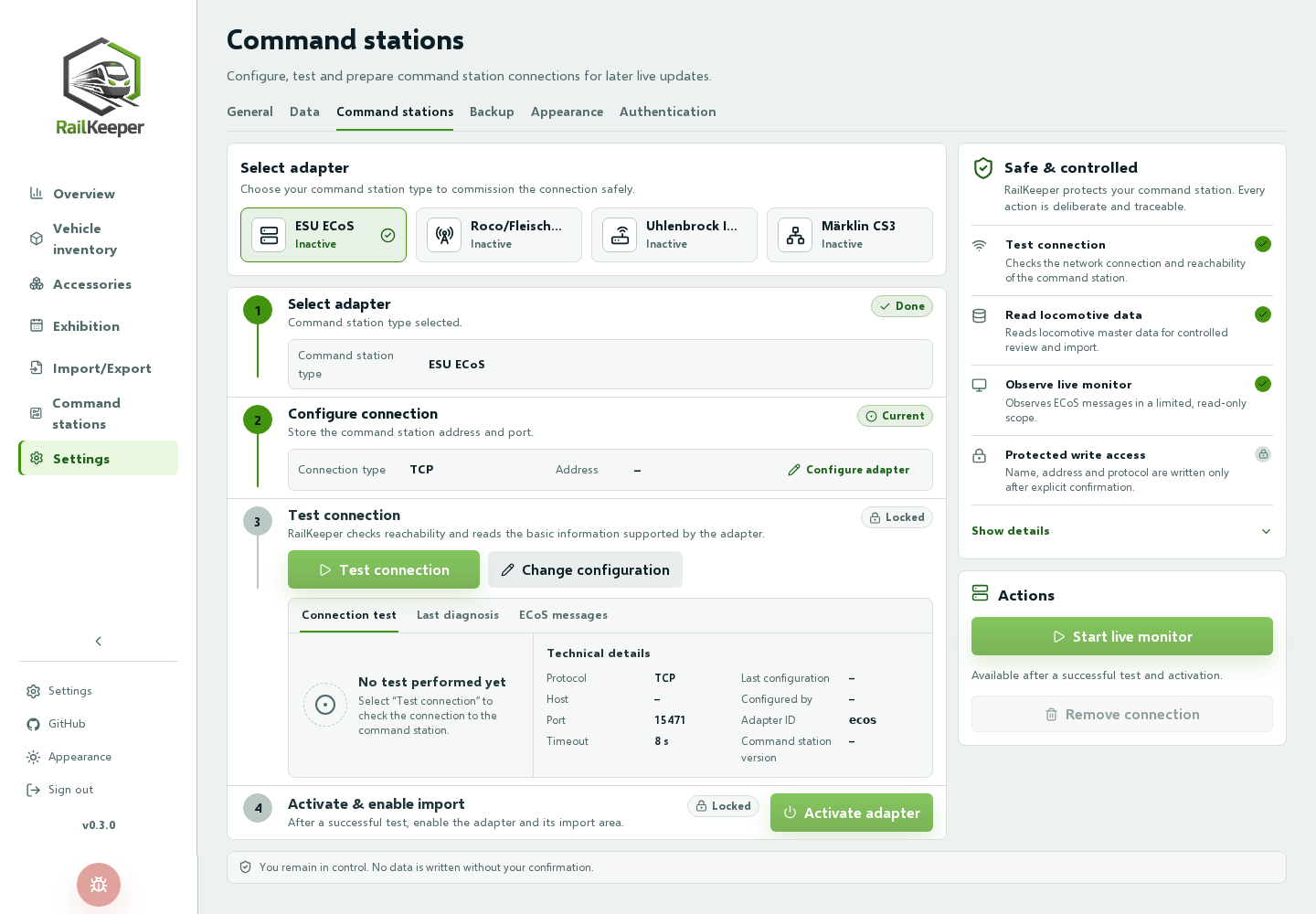
Configure a connection
- Open Settings > Digital command stations.
- Choose the actual station type.
- Enter the station's IP address and its required port. Read the address from the station itself.
- Save the settings and run the connection test.
- Open Digital command stations in the sidebar for the supported workflows.
A successful ping does not establish that RailKeeper can reach the required services. Connectivity from the RailKeeper server matters, not only connectivity from your browser.
Continue working with a saved read
After Read data, RailKeeper retains the last successfully read result when you leave the view, reload the page, or restart RailKeeper. Use Read data again to fetch current station data. If that attempt fails, the previous result remains available.
Each saved result belongs to the configured station, address, and port. Results stay separate when you switch connections. Reopening the view loads the saved result; sending changes to the station still requires your explicit confirmation in the corresponding write workflow.
What does each connection support?
| Station | Current scope |
|---|---|
| ESU ECoS | compare and adopt locomotive data, read stored CVs, and use confirmed write workflows; separate image transfer |
| Märklin CS3 | read and compare locomotive data, without a general write-back workflow |
| Z21 | Connection test, diagnostics and bounded comparison of known addresses; no full roster or CVs |
| Intellibox 3 | Z21-compatible connection testing and diagnostics, not a complete locomotive-list import |
ECoS: do not confuse the two connections
- Port 15471: TCP interface used by RailKeeper. It is not a browser web page.
- Port 80: web interface and image transfer. Normally open
http://YOUR-ECOS-IP/in a browser, without:15471.
Separate networks need suitable routing, netmask, gateway, and any required firewall rules. Do not change station settings speculatively when only one application cannot connect.
ECoS consists (MULTI) have no decoder address of their own. RailKeeper excludes these groups from the locomotive import and reports their count in the completion notice under Messages. Individually addressed vehicles are still loaded; groups do not create additional vehicles or CV assignments.
Next steps
Compatibility and recorded device evidence · Z21 address comparison.